


Website Wizardry: Crafting Your Online Presence with Ease
- Mar 24
- 8 min read
Everything You Need to Know to Build a Website in 2026

Build a website the right way and you can turn browsers into buyers — even if you've never done it before.
Here's the short version of how to do it:
Define your goal — What is the site for? A store, a portfolio, a blog?
Pick a platform — Use a no-code website builder like Wix or Shopify.
Register a domain name — This is your web address (e.g., yourbrand.com).
Choose a template — Pick a design that fits your brand and customize it.
Add your pages — Home, About, Contact, and any product or service pages.
Create your content — Write clear copy, add images, and include calls to action.
Optimize for SEO and mobile — Nearly 70% of web traffic comes from phones and tablets.
Test and launch — Check every link, form, and page before going live.
Promote and maintain — Share your site, track performance, and keep it updated.
No coding required. Most beginners can get a basic site live within a weekend.
That said, design matters more than most people think. Half of all consumers say a website's design shapes their opinion of a business. A site that looks outdated or loads slowly can cost you sales before a visitor even reads a word.
This guide walks you through each step in detail — from picking the right platform to launching a site that actually converts.
I'm Athena Kavis, a web designer with over 8 years of experience and more than 1,000 websites built across Wix and Shopify. I'll show you exactly how to build a website that does more than just exist online — it works for your business.

Essential Steps to Build a website from Scratch
Defining your goals; Choosing your platform; Domain registration; Content planning; Site structure
Before you drag a single element onto a page, you need a plan. We always tell our clients in Las Vegas that a website without a goal is just a digital flyer that nobody reads. Are you looking to sell products, showcase a creative portfolio, or provide information for a local service business in Henderson?
Once your goal is set, the next step is choosing where your site will live. For most of our projects, we recommend Wix or Shopify. These platforms handle the "scary" technical stuff—like secure hosting and server maintenance—so you can focus on the fun part: the design.
After picking a platform, you'll need to claim your digital real estate. A domain name (like yourbusiness.com) is your official address. Pro tip: keep it short, memorable, and easy to spell. If you're targeting a specific local market, like Pahrump or Centennial Hills, consider if your name reflects that local connection. Many paid plans on top builders actually include a free domain for the first year, which is a great way to save a few bucks starting out.
Finally, map out your site structure. Think of this as the blueprint for your house. You wouldn't start building walls without knowing where the kitchen goes, right? Create a sitemap that lists your main pages and how they link together. This ensures your visitors can find what they need in three clicks or less.
Why Wix is the Best Way to Build a website for Beginners
No-code simplicity; Drag-and-drop editor; Secure hosting; Scalability; Artificial Intelligence tools
If the thought of "coding" makes you want to hide under your desk, don't worry. Modern website builders have completely changed the game. You no longer need to spend months learning HTML or CSS at Codecademy or freeCodeCamp.org just to get a homepage live.
Wix, in particular, is a powerhouse for beginners. It features an intuitive drag-and-drop editor that lets you move images, text, and buttons exactly where you want them. It’s literally as easy as creating a PowerPoint slide. Plus, they’ve integrated incredible AI tools that can help you generate product descriptions or even create a full initial site layout based on a few questions.
But it’s not just about ease of use; it’s about peace of mind. Wix includes secure hosting with every site, meaning you don't have to worry about your site crashing or getting hacked. As your business grows from a small side hustle in Vegas to a full-scale enterprise, the platform scales with you. You can start on a free plan to test your ideas and then upgrade to a paid plan—starting around $17 per month—when you’re ready for a custom domain and professional business features.
How to Build a website That Converts Visitors
Visual design impact; User experience (UX); Clear calls to action; Trust signals; Professional templates
Design isn't just about looking "pretty." It’s about psychology. Stat we mentioned? Half of consumers say design heavily influences their opinion of a company. If your site looks cluttered or confusing, people will leave.
To build a site that actually makes money, you need to focus on User Experience (UX). This means having a clean layout, using high-quality images from sources like Unsplash or Pexels, and choosing a color palette that fits your brand. If you're stuck on colors, check out a guide to color psychology from CoSchedule to see how different hues affect mood.
Every page should have a clear "Call to Action" (CTA). Whether it's a "Buy Now" button for your Shopify store or a "Book an Appointment" link using Acuity Scheduling, you need to tell your visitors exactly what to do next. Don't make them guess!
If you want a head start on professional design, we actually sell high-end templates on our website at https://www.webdesignlasvegas.com/shop. Using a pre-designed template ensures your site follows best practices for layout and conversion from day one.
Technical Essentials: Hosting, Domains, and Security
Web hosting explained; Domain extensions; SSL certificates; Mobile responsiveness; Site performance
Let's demystify the "tech" side of things. Think of web hosting as the "land" where your website's files live. When you use a platform like Wix or Shopify, hosting is usually bundled into your monthly subscription. This is the best option for beginners because the provider handles all the server updates and security patches for you.
Your domain name is your "address." While .com is the gold standard, there are now hundreds of extensions like .store, .photography, or .vegas. When picking one, make sure it aligns with your brand. You can use tools like Color-hex.com or Coolors to ensure your branding stays consistent from your logo to your URL.
Security is non-negotiable. Every modern website needs an SSL certificate (that little padlock icon in the browser bar). This encrypts data sent between your visitor and the server, which is especially vital if you're taking payments or collecting contact info. Most top-tier builders include this automatically.
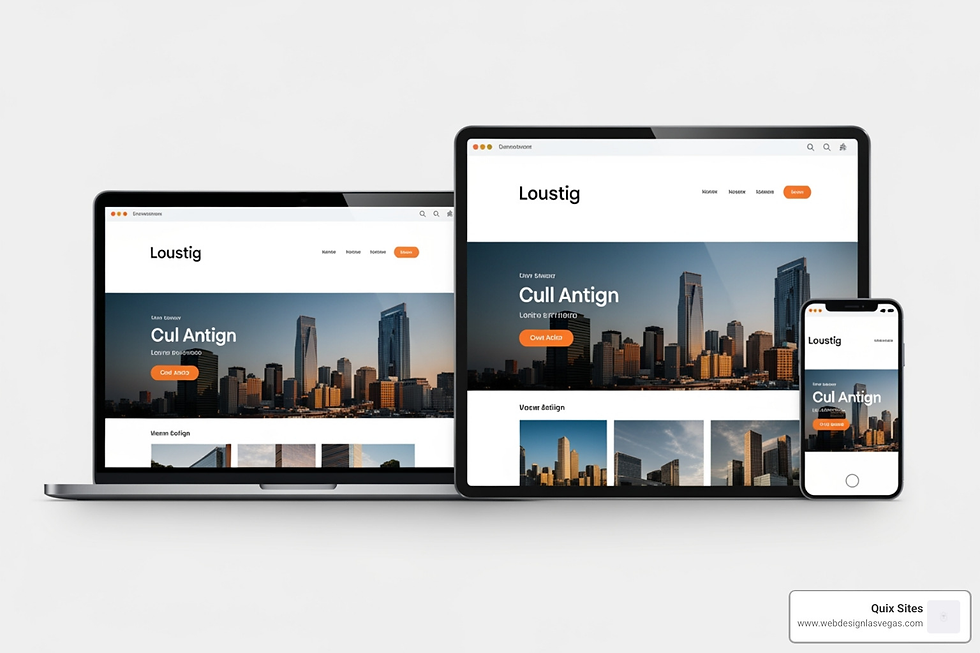
Finally, your site must work on mobile. Nearly 70% of web traffic now comes from phones and tablets. If your site isn't responsive—meaning it automatically adjusts its layout for smaller screens—you are losing the majority of your potential audience. Luckily, Wix and Shopify templates are mobile-friendly by default, but you should always double-check the mobile preview before hitting publish.
Crafting Engaging Content and Functionality
Essential pages; Writing for the web; Visual assets; Plugins and integrations; SEO basics
Content is the "soul" of your website. At a minimum, every site needs these pages:
Homepage: Your digital storefront. It should clearly state what you do.
About Page: Tell your story. People buy from people they trust.
Services/Products: Detail what you offer and why it’s better than the competition.
Contact Page: Make it incredibly easy for people to reach you.
When writing, keep it scannable. Use short sentences (under 25 words) and break up text with headers and bullet points. If you need help creating graphics or logos, tools like Canva, Stencil, or Snappa are lifesavers for non-designers.
To add extra functionality, you can use "apps" or plugins. These are like the apps on your phone—they add specific features without you having to write code. Want to add an Instagram feed? There's an app for that. Need an advanced contact form? There's an app for that too.
Don't forget about SEO (Search Engine Optimization). This is how people find you on Google. Start by submitting your sitemap to Google Search Console and ensuring your images have "alt text" descriptions. Using relevant keywords in your titles and paragraphs helps search engines understand what your site is about.
Launching and Maintaining Your Digital Presence
Testing checklists; Promotion strategies; Analytics tracking; Regular updates; Avoiding common mistakes
You’re almost there! Before you share your site with the world, run through a final checklist. Test every link, fill out every form to make sure you get the notification, and check the loading speed on your phone. It’s also helpful to get a "fresh set of eyes" to look at it—sometimes a friend will spot a typo you’ve missed a hundred times.
Once you launch, the work isn't over. You need to promote your site. Share it on social media, add it to your email signature, and maybe even run some local ads if you're a business in Las Vegas or Henderson.
To see if your efforts are working, set up analytics. Tools like Google Analytics or the built-in stats in your dashboard will tell you how many people are visiting, where they’re coming from, and which pages they like the most. This data is gold—it tells you exactly what to improve.
Common beginner mistakes to avoid:
Information Overload: Don't try to say everything on the homepage. Keep it focused.
Slow Images: Huge image files slow down your site. Use a compressor before uploading.
Ignoring Updates: Even no-code sites need a "check-up" every few months to ensure links aren't broken and info is still current.
Frequently Asked Questions About Building a Website
Common beginner concerns; Costs and timeframes; Technical requirements; Coding vs. No-code
Do I really need a website if I have social media? Yes! You don't own your social media pages—the platform does. A website is the only piece of digital real estate you truly control. Plus, over 80% of people won't do business with a company that doesn't have a website.
How much does it cost to build a website? If you do it yourself on Wix, you can start for free, but professional business plans start at $17/month. If you hire a pro, our custom packages at Quix Sites start at $1,000, which covers everything from design to SEO.
How long does it take? A simple DIY site can be done in a weekend. For a professional, high-performance custom build, our turnaround time is typically 3-10 business days.
Do I need to learn how to code? Not at all. While learning the basics of HTML/CSS on sites like MDN can be helpful for deep customization, it is absolutely not required to build a stunning, functional site today.
Conclusion: Taking the Next Step in Your Online Journey
Final encouragement; Resource summary; Professional assistance; Quix Sites services
Building a website is one of the most empowering things you can do for your business or personal brand. Whether you choose to dive into the DIY world of Wix or need a high-converting Shopify store, the tools available in 2026 make it easier than ever to succeed.
Your website is a living thing. It will grow and change as your goals evolve. Start with the basics, focus on clean design, and always keep your user in mind. If you find yourself overwhelmed or simply want a professional edge that stands out in the competitive Nevada market, we are here to help.
At Quix Sites, we specialize in taking the stress out of the process. We create visually stunning, high-performance websites on Wix and Shopify with a focus on rapid delivery and personalized branding. From custom logos to advanced SEO, we ensure your online presence is built for success.
Ready to transform your vision into a digital reality? Learn more about our custom website design services and let's build something amazing together.


